 odin
Start free trial
FOR MEETINGS
Follow every call. Leave with the notes.
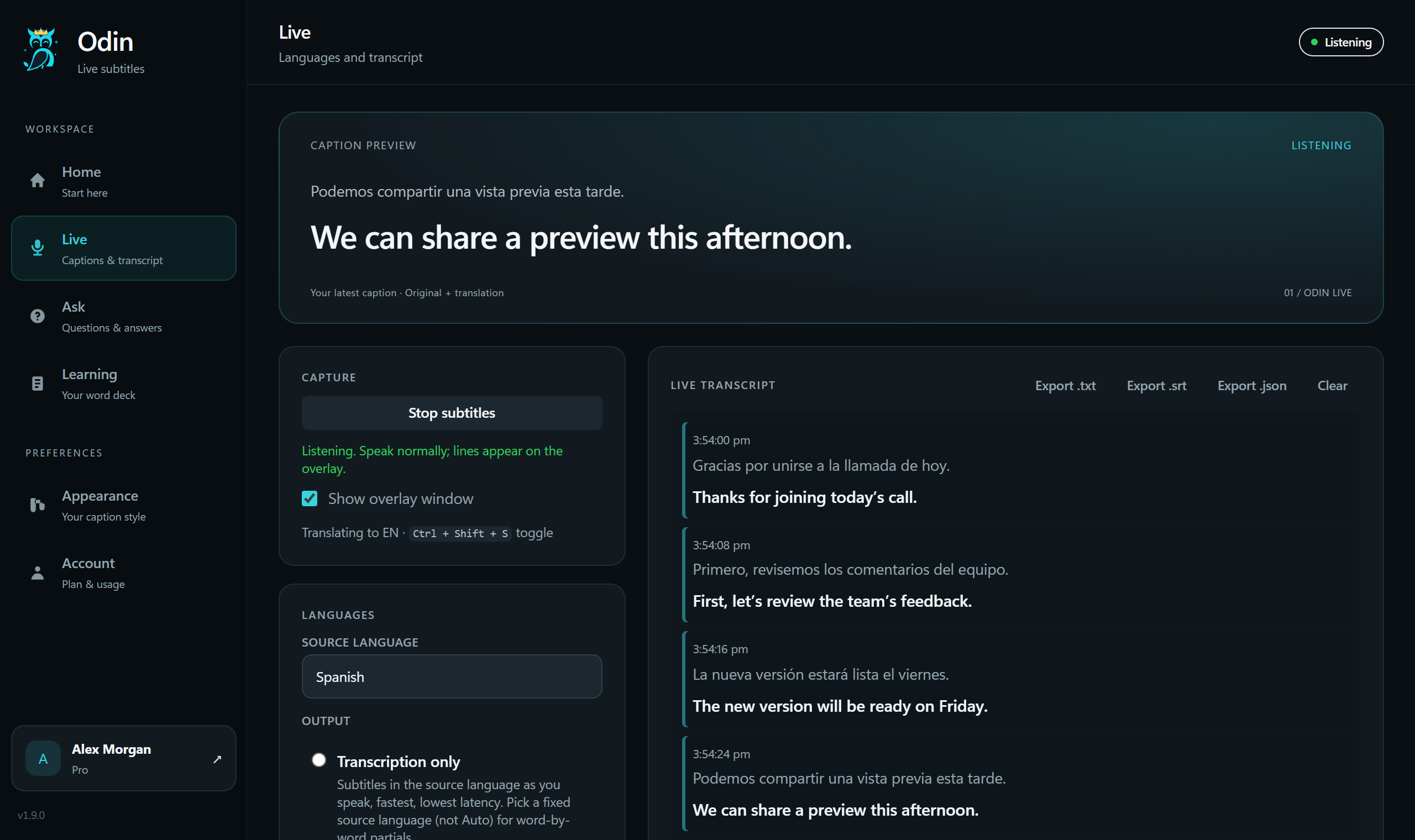
Odin captions and translates Zoom, Teams, Meet, Slack huddles, or any call that plays through your PC. No bot joins the meeting. When it ends, ask Odin for the summary and next steps.
Then $5.99/month · Payment method required · Cancel before day 7 to avoid a charge
Why it works
No meeting bot
Odin listens on your computer, so nobody sees an extra participant and you don't need admin approval to add an integration.
Any meeting app
Because Odin captures system audio, it works the same in Zoom, Teams, Google Meet, Webex, and browser calls.
Ask during the call
Missed something? Ask Odin by voice or text. It answers from the recent transcript and, if you want, your screen.
Keep the transcript
Export the session as TXT, SRT, or JSON, or ask for a summary, an explanation, or next steps.
Set up in three steps
- Start your trialSign in with Google and pick Basic. Seven days free.
- Install OdinDownload the Windows app and sign in. No API keys.
- Press Ctrl+Shift+SChoose your language. Captions appear over whatever is playing.
QUESTIONS
Good to know.
Do other participants know I'm using Odin?
Odin does not join or announce itself in the meeting. Follow your organisation's rules and local law about transcribing calls, and tell people when that's expected.
Can it translate a call into my language?
Yes. Pick your target language and Odin shows the original line with the translation underneath, in real time.
Is my audio stored?
Odin does not store your audio or transcripts on Odin servers. Live audio is processed by our speech provider. See the privacy policy for details.
Does it work on Mac?
Windows and Android are available today. macOS is in preview with a waitlist.
TRY IT ON YOUR OWN SETUP
Seven days to see if it fits.
Start my 7-day trialThen $5.99/month. Cancel before day 7 to avoid a charge. Compare plans